PS5 controller integration in game development
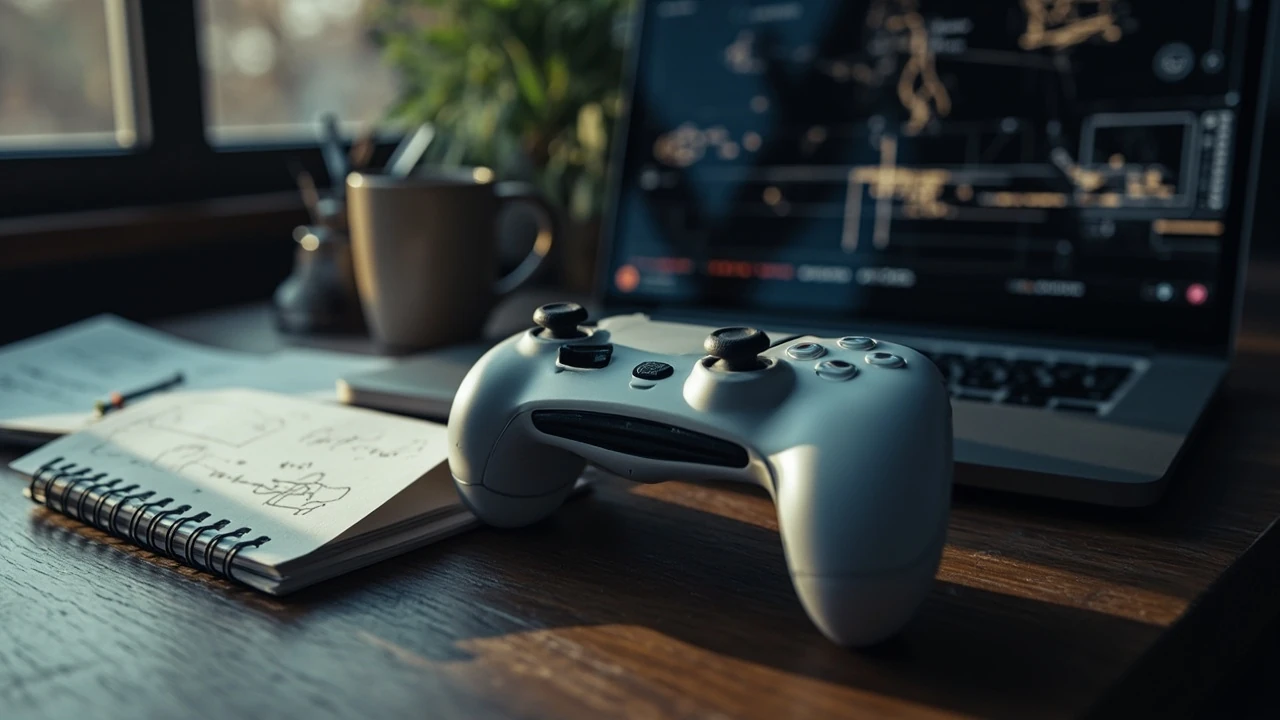
A PS5 controller, the DualSense, behaves less like a generic gamepad and more like a small input device with a microphone, a speaker, a touch surface, a motion sensor, adaptive triggers, and a haptic actuator that replaces the older rumble motor. For a development team shipping a PlayStation 5 game, every one of those components becomes a feature surface with its own integration cost, its own failure mode, and its own test pass. Treating the controller as a single “input” item in the design document is one of the fastest ways to ship a title that feels flat on the platform it was made for.
This guide walks through the decisions a team makes when it plans, builds, certifies, and supports a PS5 controller in a shipping PlayStation 5 title. It assumes the reader is a gameplay programmer, technical designer, producer, or QA lead who needs to reason about the device without turning the article into a marketing piece about the hardware itself. Where the DualSense diverges from a generic gamepad, the article calls out the production cost so the work can be scheduled rather than discovered in certification.
What the DualSense actually exposes to a game
From a runtime perspective, the PS5 controller exposes a fixed set of input and output channels through Sony’s platform layer. Engines such as Unreal Engine 5 and Unity 2022 LTS or later abstract the device behind their input system, but the underlying channels are the same across engines because the hardware is the same.
| Channel | Direction | What it carries | Typical use in a game |
|---|---|---|---|
| Buttons (face, D-pad, L1, R1, L2, R2, L3, R3, Create, Options, PS, touch click, mute) | Input | Pressed, released, held, analog pressure on L2 and R2 | Core gameplay actions, menu navigation, system overlays |
| Analog sticks (L, R) | Input | Two-axis position, click state | Movement, camera, aim |
| Touchpad | Input | Two-finger touch points and gestures | Swipe gestures, mouse-like cursor, radial menus |
| Gyroscope and accelerometer | Input | Six-axis motion | Aim assist, tilt steering, gesture commands |
| Light bar | Output | RGB color, brightness | Player health, squad color, co-op identity |
| Haptic actuator (L, R) | Output | Frequency and amplitude waveforms | Surface texture, recoil, weather, damage |
| Adaptive triggers (L2, R2) | Output | Variable resistance from light to lock | Weapon weight, bow draw, brake pressure, lock-on snap |
| Speaker | Output | Short PCM or streamed audio | Character voice snippets, UI ticks, environmental stingers |
| Microphone array | Input | Captured audio for the system or game | Voice chat, push-to-talk, in-game voice commands |
| Headset jack and built-in speaker | Audio path | Routed through the platform audio system | Standard 3D audio mix |
Most studios begin with a small subset of these channels and expand once the core build is stable. The channels that tend to be added late, and that often cause certification issues, are the adaptive triggers, the gyroscope aim assist, and the light bar as a gameplay-relevant signal rather than a cosmetic effect.
Why a game treats the controller as a feature, not a peripheral
A production lead looking at the table above might reasonably ask why the team cannot simply treat the DualSense like a generic gamepad and add features later. The answer is that the channels do not have graceful fallbacks. A title that builds its bow draw mechanic around adaptive triggers has to ship a non-trigger version, because not every player can use the triggers comfortably, and the platform submission requirements reflect that expectation.
The same logic applies to haptics. A recoil pattern designed only for the new actuator feels flat on any non-DualSense input. The team that plans the haptic system from pre-production avoids a reauthor pass in the audio and feel milestone. The team that ignores it until polish usually cuts the feature before submission to protect the schedule.
This is also where the device stops being a hardware question and becomes a production question. The DualSense is the same hardware in every region, but the certification rules, the platform policies, and the local consumer expectations change. A feature surface that is optional in one program can be mandatory or restricted in another, and the producer needs to know that before work begins.
How the input layer reaches the engine
The flow from a button press to a gameplay event goes through a small chain that the engineering team owns end to end. Understanding the chain makes the testing checklist and the bug triage far more efficient.
- The platform layer reads the controller state once per frame at a fixed rate, usually synchronized with the display refresh.
- The input subsystem translates the raw state into a normalized value, for example a 0.0 to 1.0 trigger pull, a 2D stick vector, or a button bitmask.
- An action layer maps the normalized value to a semantic game event, such as “fire”, “jump”, or “aim”.
- The event reaches gameplay code through a function call, a delegate, or a state machine transition.
- The audio, animation, and feedback systems consume the event, often fanning out to multiple subsystems at once.
A failure at any layer presents differently. A hardware failure on the controller side shows up as a missing channel in the platform layer. A mapping failure shows up as an action that triggers the wrong event. A gameplay failure shows up as a system that does not respond. Writing the test plan around the layer rather than the symptom saves QA time and prevents the wrong team from being paged.
Mapping the analog triggers for a game
The adaptive triggers are the most distinctive part of the controller and the part that requires the most careful design work. They are not on or off, they accept a continuous resistance curve that the game can author at runtime.
Most engines expose a small API surface for this. The exact class and method names differ between engines, but the conceptual workflow is shared.
- Define a resistance profile that takes a normalized trigger position from 0.0 to 1.0 and returns a resistance value, often also from 0.0 to 1.0.
- Author the profile in a data asset so the design team can iterate without recompiling.
- Apply the profile when the relevant weapon, tool, or vehicle is equipped, and clear it when the player unequips the item.
- Combine the profile with an audio and haptic cue that reinforces the feeling; a heavy trigger without audio feedback tends to read as “the controller is broken” in playtest sessions.
A common pattern is to set the trigger to a low resistance until a threshold, then ramp to a hard wall at a chosen pull distance. A bow, a revolver, and a grenade launcher benefit from different curves, and reusing one curve across all three reads as a single mechanic. The same caution applies to releasing the trigger: a slow release paired with a haptic blip feels more controlled than an instant reset, but only if the game logic is timed to the trigger return rather than the button release event.
Authoring haptics that do not feel generic
The haptic actuator can be driven by frequency and amplitude over time, which gives the audio team a much wider palette than a traditional rumble motor. The risk is that a team treats the new palette as “more rumble” and ships a high-amplitude buzz on every hit, which players describe as annoying within minutes.
A useful authoring pattern looks like this:
- Reserve the strongest amplitudes for state changes: weapon swap, parry, environmental impact, vehicle collision.
- Use lower amplitudes for continuous feedback, such as walking on different surfaces or an engine idle.
- Use frequency rather than amplitude to convey texture, because frequency is more clearly perceived at low amplitudes.
- Pair every long haptic cue with an audio cue, so the feedback is multimodal and survives a player who turns haptics down.
- Avoid loops longer than roughly one second, because the human perceptual system adapts to steady-state vibration and the cue fades out.
The engineering side needs to budget the haptic and trigger updates per frame. Authoring tools that run heavy DSP at 240 Hz while the game runs at 60 frames per second can be folded into the main loop on a debug build, but on a release build the platform performance budget usually requires the audio team to pre-bake at least the lower-priority cues.
Motion input as a feature, not a gimmick
The gyroscope inside the PS5 controller is a real six-axis sensor with a published noise floor and a published drift behavior. The right way to use it is as a fine-aim layer stacked on top of a stick-aimed system, not as a replacement for the stick.
Production teams that ship a strong motion implementation usually follow a similar pattern.
- The stick handles gross aim movement; the gyroscope handles fine aim within a small dead zone around the stick center.
- The game reads the gyro delta, applies a sensitivity curve, and adds it to the camera rotation after the stick contribution.
- Opt-in or opt-out toggles are exposed in the accessibility menu, and the default state depends on the genre and the platform submission requirements.
- A calibration step runs at boot or at the start of a session to remove the steady-state drift, and the result is stored locally for the session.
The reason motion is its own feature is that it is the only input channel that depends on a player sitting in a chair. A title that requires gyro for a core mechanic fails players with limited mobility, certain disabilities, and unusual seating positions. That is a compliance risk, an accessibility risk, and a playtest risk at the same time.
Light bar as information, not decoration
The light bar on the controller is often dismissed as a cosmetic detail, but the platform supports a small set of patterns the game can author, including solid color, slow pulse, fast pulse, and a brightness envelope. A team that uses the light bar to convey gameplay information, such as the player’s health band, squad identity, or co-op sync state, communicates a layer of feedback that does not compete with audio cues and survives the player taking off the headset.
Two design rules help:
- Never use the light bar as the only signal for a game-critical event. Color-blind players and low-light environments will silently miss it.
- Keep a small palette of three or four colors per build, because a light bar that cycles through ten colors reads as decorative noise.
From an engineering perspective, the light bar API is inexpensive. The cost is in design consistency, not in the runtime call. For broader context on Dual space, the Dual space provides a concise reference for this section.
Accessibility considerations that affect the implementation
Accessibility is a production constraint on the same level as framerate, because submission policies and the platform’s own certification checklist both reference it. For the PS5 controller, the relevant accessibility features include remappable buttons, trigger effect intensity, motion sensitivity, light bar intensity, mono audio output, and chat-to-text or text-to-chat options for the microphone.
For a development team, the practical implications are:
| Feature | Implementation cost | Risk if missed |
|---|---|---|
| Button remapping | Low to medium, depending on engine support | Player cannot bind the layout they need, leading to refund requests and certification flags |
| Trigger effect intensity | Low, one scalar per profile | Players with arthritis or grip pain cannot use the mechanic |
| Motion sensitivity | Low to medium, a curve and a toggle | Motion sickness or inaccessibility for players who cannot tilt the controller |
| Light bar brightness | Very low | Photosensitivity discomfort and visual fatigue |
| Mono audio | Low, a routing change in the audio mix | Hearing-impaired players lose positional cues |
| Microphone routing | Low to medium, system dialogs and a toggle | Privacy concerns and accidental voice capture |
The cost of adding these features late is significantly higher than the cost of adding them at design time, because each one touches a different subsystem. A remapping system added in post-production usually requires a regression pass through every tutorial and every contextual prompt. A mono audio path added late requires rebalancing the entire 3D mix.
Testing the controller across a build pipeline
QA for a PS5 controller falls into three categories: device-level tests, build-level tests, and certification-level tests. A team that organizes the QA backlog along these three lines usually finds bugs earlier and at lower cost.
Device-level tests run on devkit hardware and cover the physical behavior of the controller. They confirm that every channel listed in the first table is reachable, that the trigger profile loads, that the light bar responds, and that the gyroscope reports within an expected noise envelope. These tests usually live in an automated harness driven by the engineering team.
Build-level tests run against a candidate build and cover the mapping and the gameplay experience. They include a button-by-button pass through the core action set, a remapping pass to confirm every remap path works, and a regression pass on adaptive triggers and haptics after any audio change. These tests are usually owned by QA with support from the gameplay programmer.
Certification-level tests run against a near-final build and simulate the platform holder’s checklist. They include the accessibility toggles, the controller pairing and disconnection handling, the low-battery state, and the wake-from-rest behavior. These tests are usually owned by the certification lead and run on a separate hardware kit that mirrors the platform holder’s lab.
A useful rule of thumb is that any controller feature that can be turned off in a settings menu needs at least one test case for the on state and one for the off state. Skipping the off-state test is the most common source of certification regressions.
Common failure modes and how to triage them
Even a well-planned controller integration produces a steady stream of bugs during a production cycle. The list below covers the failure modes the team is most likely to encounter, ordered by the speed at which a fix can land.
- Trigger profile not loading on level transition. Usually a state leak; the fix is to reset the profile in a known shutdown path and to reapply it on the next equip event.
- Haptic cue firing on the wrong surface. Usually an audio priority issue; the fix is to lower the priority of the generic hit cue so the surface-specific cue can preempt it.
- Gyro aim drifting after a long session. Usually a calibration step that was scoped out to save time; the fix is to add a per-session calibration and store the offset locally.
- Light bar stuck on the previous color after a respawn. Usually a state machine that was not fully drained; the fix is to clear the light bar at the start of the respawn sequence and to reapply the desired color at the end.
- Microphone staying open after a UI menu closes. Usually a missing pause call; the fix is to pause the capture in the menu’s on-close handler and to confirm it in a dedicated test case.
- Adaptive trigger resistance still present after the weapon is unequipped. Usually an unbind step that was scoped to a future patch; the fix is to clear the profile in the unequip path and to add a unit test that fails when the profile remains.
A practical triage habit is to ask, for every reported bug, which layer of the input chain the symptom belongs to. A bug in the platform layer is an engineering problem; a bug in the action mapping is a design problem; a bug in the gameplay logic is a gameplay programmer problem. The wrong team being paged is the most expensive part of most controller bugs.
Performance and memory budget for controller features
The PS5 controller features cost runtime resources even when they are not in active use, and the budget belongs in the technical design document rather than in a last-minute optimization pass.
| Feature | Approximate cost | Where it lives |
|---|---|---|
| Button and stick polling | Negligible, shared with all input | Main thread, one read per frame |
| Adaptive triggers | Very low, a small struct per active profile | Main thread, one update per frame |
| Haptics | Low to medium, depending on DSP | Audio thread, often pre-baked for release |
| Light bar | Negligible | Main thread, a single API call |
| Low, including filtering | Main thread or input thread, depending on engine | |
| Microphone capture | Medium, including echo cancellation and resampling | Audio thread, off when muted |
| Touch surface | Low | Main thread, one read per frame |
The cumulative cost is small compared with a modern render budget, but it is not zero, and a team that ships ten simultaneous haptic and trigger cues at peak can spend more time in the audio thread than expected. The simplest discipline is to cap the number of active haptic voices and to voice-steal the lowest priority cue when the cap is reached.
How the controller changes multiplayer and spectator features
Multiplayer and spectator features interact with the controller in a few predictable ways. The team that plans for these interactions in pre-production avoids the kind of late-stage rework that pushes the submission date.
- Co-op identity on the light bar. Two players on the same screen want to know which character they control, and the light bar is the cheapest signal the platform provides.
- Local versus remote player input. A spectator camera in a four-player split-screen reads input from four controllers, and the action mapping has to differentiate between them.
- Voice routing. The microphone in the controller can be the primary chat path, and a privacy toggle has to be reachable from the in-game menu rather than buried in the system menu.
- Replay scrubbing. A replay system that maps the controller timeline scrubber to the touchpad has to expose the mapping in the input legend, or players will assume the feature is missing.
None of these is a hard problem, but each is a small decision that compounds across the team. The list above is a useful starting point for the design document’s controller section.
Documentation the team actually needs
The controller is one of the few features in a PlayStation 5 game where the documentation is shared between engineering, design, audio, and QA. A team that writes a short controller design document once and updates it through the production cycle finds the certification pass noticeably easier.
A useful controller design document covers at least the following points:
- Which channels of the controller are used in the title, and which are reserved for the platform overlay.
- Which trigger profiles are authored, what each profile represents, and the data file that drives the profile.
- Which haptic palettes are used in the title, the audio events that pair with each palette, and the priority order between them.
- Which accessibility toggles are exposed in the settings menu, and the default state of each toggle.
- The regression test plan that runs against every build, with the channel-by-channel checklist.
- The certification checklist that runs against the candidate build, with the specific platform holder tests the build has to pass.
For a deeper treatment of the production pipeline that surrounds this work, the studio-side article on video game development process is a useful companion. For the QA side specifically, the article on types of game testing maps the testing categories above to a fuller checklist.
Decisions to make before the first playable build
Most controller integration problems in shipping titles trace back to decisions that were not made early enough. The list below is the set of decisions a producer or technical lead should confirm before the first playable build.
- The mapping between the controller and the action set, including the dead zones for the analog sticks and the trigger pull thresholds.
- The set of trigger profiles, the data file that drives them, and the ownership of the data file.
- The set of haptic palettes, the audio events that pair with them, and the priority order between them.
- The accessibility toggles and the default state of each toggle.
- The microphone privacy state at boot, and the prompt that asks the player to confirm the choice.
- The light bar usage, including the color palette and the conditions that change it.
- The certification checklist, the hardware kit it runs on, and the owner of the checklist.
Confirming these decisions in pre-production does not prevent every bug, but it does prevent the kind of cross-team rework that pushes a release by a milestone.
Frequently asked questions
Does every PlayStation 5 game have to use the adaptive triggers?
No. The platform does not require every game to use the adaptive triggers, and many shipped titles leave the triggers in their default state. The trade-off is that the game forfeits one of the platform’s most distinctive feedback channels. A team that chooses to skip the feature should still test that the default behavior is graceful and that no gameplay cue depends on a custom resistance curve.
How is the gyroscope in the PS5 controller different from the one in a phone?
The sensor itself is similar in principle, but the controller exposes the data through the platform input layer rather than through an operating system service, which means the sampling rate, the filtering, and the calibration are owned by the game or the engine. A team that has shipped a mobile title with motion input still needs to revalidate the behavior on a console, because the seating position, the controller weight, and the player’s arm angle are different.
Can a game tell whether a player is using the PS5 controller or a third-party pad?
The platform exposes device identification through its input layer, and the game can branch behavior on the returned identifier. The branching has to be opt-in and should not punish the player for using a different device. A common pattern is to enable the full haptic and trigger feature set on the first-party controller, and to provide a generic fallback on any other pad.
What is the right way to handle a disconnected controller mid-session?
The platform notifies the game when a controller disconnects, and the game should pause the simulation, surface a system-style prompt, and wait for the player to reconnect or to swap the controller. The prompt has to be reachable with a single button press on a paired controller, and the game should not autosave over a clean state during the disconnect window.
How do studios test the controller in CI when most runners are headless?
Controller tests are usually split between a headless test that exercises the input mapping layer with mocked device data, and a hardware-in-the-loop test that runs on a devkit. The headless test covers the action mapping and the state machine; the hardware test covers the physical behavior of the channels. A team that tries to replace the hardware test with the headless test will miss the haptic and trigger regressions.
Is the speaker in the controller useful for gameplay audio?
Yes, for short, high-priority cues such as a character voice snippet, a UI tick, or an environmental stinger. The speaker is not a replacement for the headset mix, and the audio team should treat it as a parallel channel that reinforces, rather than duplicates, the main mix. A common failure is to route full voice lines through the controller speaker, which sounds thin and forces the player to choose between the speaker and the headset.
How does the light bar interact with the platform’s HDR and accessibility settings?
The light bar is a separate LED and is not affected by the HDR pipeline, but its brightness has to be reduced when the player enables the platform’s high-contrast or reduced-motion settings. The reduction is implemented in the game rather than in the platform, which means the team has to subscribe to the relevant platform event and to apply the change in the next frame.
Can a game store controller preferences per player, not per device?
Yes, and most platform account systems support per-player preferences. The engineering work is a small additional layer on top of the existing settings save. The reason it matters is that a household with two players and one shared controller otherwise inherits the second player’s settings on every swap.
What is the cost of supporting the microphone in a single-player game?
Lower than many teams expect, because the platform handles the echo cancellation and the resampling. The cost the team owns is the routing, the privacy prompt, and the audio thread budget. A single-player game that uses the microphone only for push-to-chat can ship with a small, predictable budget that does not compete with the main mix.
How is a “Dual space” concept useful when reasoning about controller state?
Engineers often want to reason about the controller as a set of independent channels, but in practice the channels interact. The mathematical notion of a dual space gives a useful mental model for thinking about the input as a vector of normalized channels and the output as a vector of feedback channels, which is why it appears in the internal documentation of some engine teams. The model is informal and does not need a full linear-algebra treatment, but it does help when the design team asks why two channels cannot share a single value at runtime.